
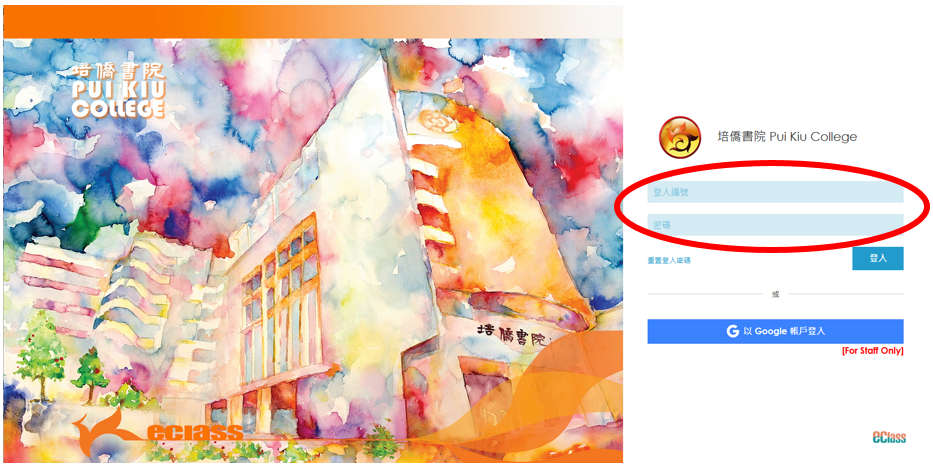
(1) 前往培僑書院eClass網站,登入您的eClass帳戶。
Go to Pui Kiu College eClass website and login your eClass account.
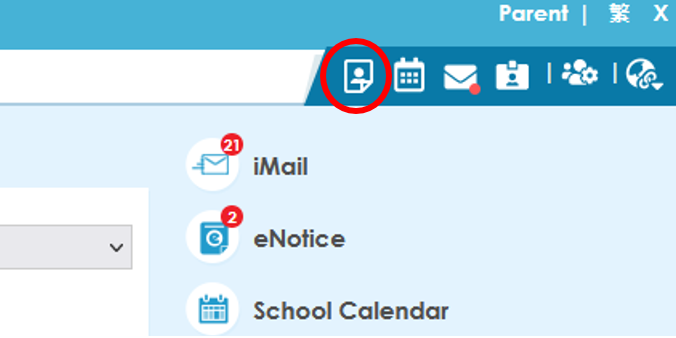
(2) 登入後, 在畫面右上方點選 "我的戶口"。
After logging in, click on "iAccount" located at the top right-hand corner of the screen.
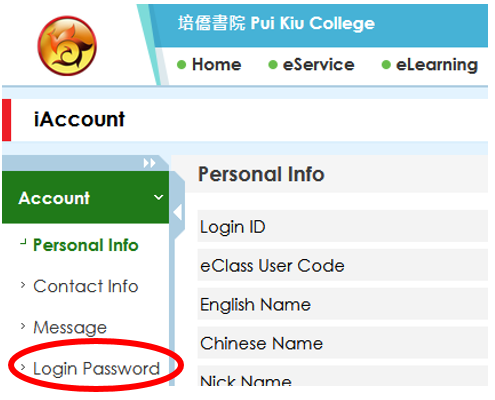
(3) 在左方選項中, 點選 "登入密碼"。
In the left-hand menu, click on "Login Password".
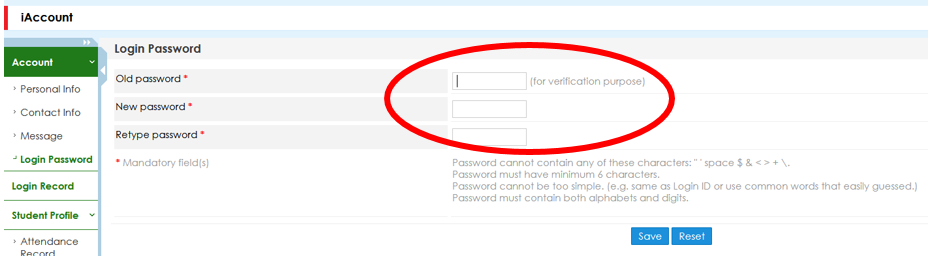
(4) 輸入舊密碼以確認身份, 再輸入新密碼。
Enter the old password to verify your identity, then enter the new password.
Was this article helpful?
That’s Great!
Thank you for your feedback
Sorry! We couldn't be helpful
Thank you for your feedback
Feedback sent
We appreciate your effort and will try to fix the article